Ink mismatch on Epson p900

I purchased an Epson P900 in England and brought it home to the states. I am setting it up to use the pro inks. They seem to be installed properly. I am struggling getting it set up to start printing though. When I try to install the printer using the P800 installer I get ink mismatch errors:

____________________________
Installing QuadToneRIP Curves Printer QuadP900-PiezoDNPro

Curve P900-Pro-PiezoDN-Master

Curve Pro-PiezoDN-Cyanotype

Inks mismatch: PPD has K,C,M,Y,LC,LM,LK,LLK,V,MK and Quad has K,C,M,Y,LC,LM,LK,LLK

Curve Pro-PiezoDN-Master

Inks mismatch: PPD has K,C,M,Y,LC,LM,LK,LLK,V,MK and Quad has K,C,M,Y,LC,LM,LK,LLK

Curve Pro-PiezoDN-PtPd-DevOut

Inks mismatch: PPD has K,C,M,Y,LC,LM,LK,LLK,V,MK and Quad has K,C,M,Y,LC,LM,LK,LLK

Curve Pro-PiezoDN-PtPd-PrintOut

Inks mismatch: PPD has K,C,M,Y,LC,LM,LK,LLK,V,MK and Quad has K,C,M,Y,LC,LM,LK,LLK

Finished Installing Curves for QuadP900-PiezoDNPro

logout
__________________________
I am using an older iMac that is still running MacOS Sierra 10.12.6 to avoid some of the problems that have shown up on newer OS’s. I have downloaded the most recent versions of QTR 2.8.2 and Print-Tool 2.3.4. I have confirmed the permissions on the folder to make sure everyone can write to the folder. I have run the sudo command that I have seen Walker post in a few other threads. I also ran the installer for making prints instead of negatives and got a couple mismatch errors but most seemed to install. But in Print-Tool when when I go into QuadToneRip the tool is completely blank. Anything else I can try?
Hi Travis,

Why not use the EU-P900 Curves?

Is it possible that when you copied the curves from the P800, your Sharing & Permissions for “everyone” are set to No Access?

Did you check what Sharing & Permissions are with the Curves in Library/Printers/QTR/quadtone/(your folder name)?

Rachel
IJM-TechSupport

Glaring out at me are the Inks mismatch error messages - sorry!

You need to use P900 curves.

Your P800 curves do not have the requisite number of channels for use with a P900 printer.

R

Just sent them to you!

Thank you Rachel. I am not sure how I missed that. John had sent me a zip file right after I got home from England and then misplaced that knowledge in my memory. I have installed the curves you sent me. The piezodn installed properly with no mismatches. The P900-Pro mostly installed but with three mismatches (for: P900-Hahn-LeoCanvas-Cool, P900-Hahn-LeoCanvas-Neutral, and P900-Hahn-LeoCanvas-Wark) But in both instances, the curves do not show up in print tool when I go to the QuadToneRip option under Paper & Print Settings.

Hi Travis,

Did you check what Sharing & Permissions are with the installed Curves in Library/Printers/QTR/quadtone/QuadP900-Pro?

Get info on a curve and look at the Sharing & Permission for “everyone” and make sure it is not “no access”. Change them all to read & write.

QTR is “everyone”

R

Rachel,

All the curves are set to Read/Write for everyone.

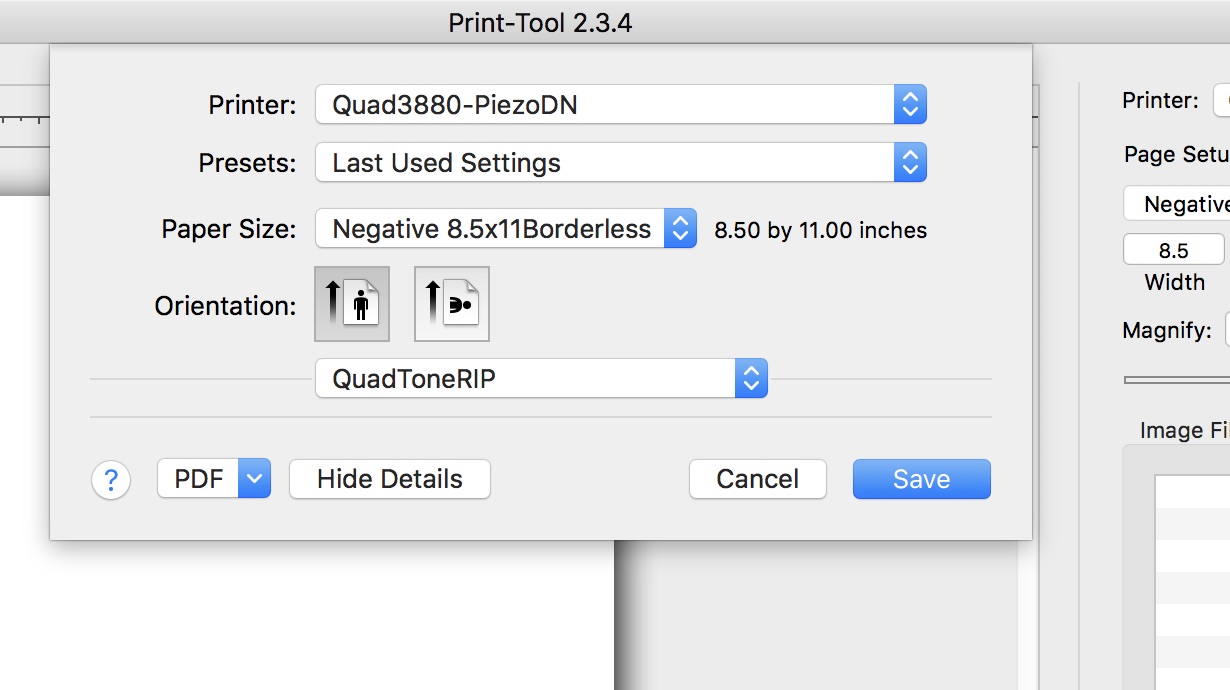
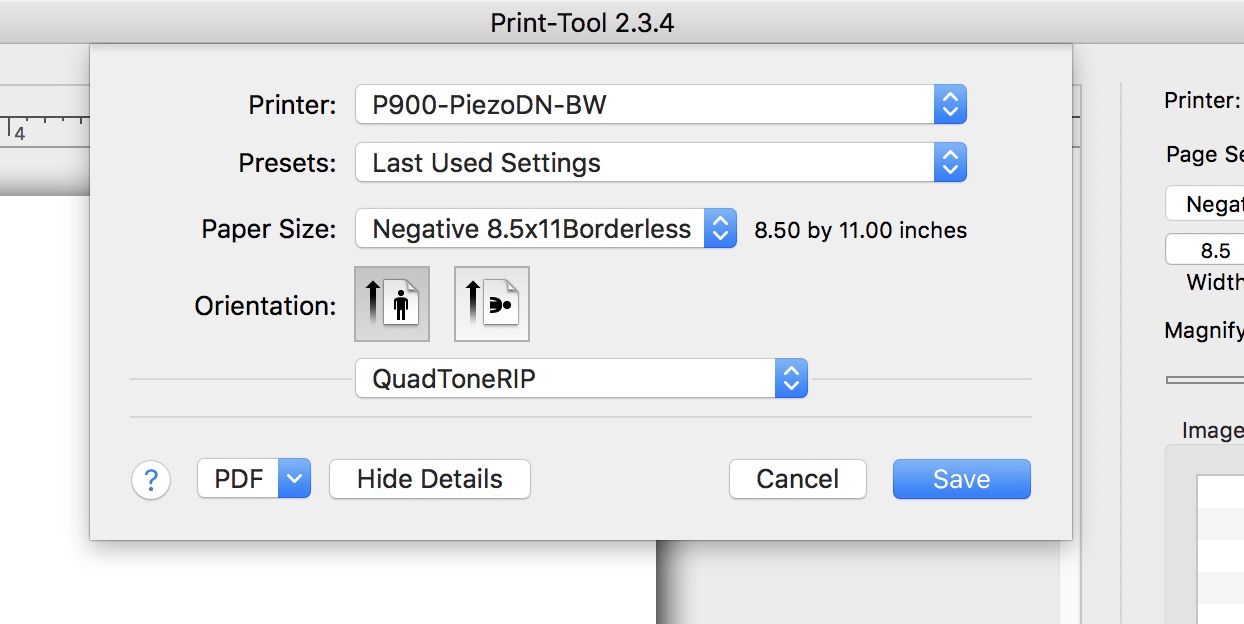
From my other question you have been helping me with, I went back to my 3880 to run some ink through the C or LK line in calibration mode and noticed that QuadToneRip is blank for my old printer setups as well. I took a screen grab of the print screen for both the 3880 and the P900 and nothing shows up when I select QuadToneRip. I will retry reinstalling QTR again and Print Tool. If you have any other suggestions, that would be great. I will let you know if the reinstall does anything.

Hi Travis,

The name of the P900 printer is odd in that it does not have “Quad” in front of it which is produced automatically when running the install command. You ran the install command to create the printer, correct? Or did you try and install or create this in a different way? The normal install command that we provide is InstallP900-PiezoDN.command

Is that what you used to install or are you still working off a custom P800 setup folder you created?

Jon

Hi Jon,

I did use the InstallP900-PiezoDn.command. I had renamed the printers later. I did wonder if that was a problem or not so I deleted everything out and reinstalled and it still is not working. I just tried to install everything on my laptop which is running Sonoma (which I don’t want to do but just to troubleshoot with a different computer) and I have the exact same issue. I can’t see any curves in QuadToneRip. I got further because the dialog window comes up but it is empty. Oddly, after I ran the installer on my laptop, I went to the Library folder to check permissions, it created the correct printer folder but no quads are installed in that location. Permissions are set properly to read/write but something is not working and I still can’t put my figure on it. (I readily acknowledge the possibility of human error on my part and would be elated to be corrected)

Sonoma has wicked strong protection of its Applications folder. Did you check to see if the Curves that you put into Piezography/Curves/P900-PiezoDN have their Sharing & Permissions set to Read & Write for Everyone?

It would be normal in Sonoma if it changed them to no access when you drag or copy them to your Applications folder. That would explain not installing the curves if it does not have the right permissions.

Jon

Yes. I double checked and they are all set to Read/Write for everyone.

Hi Travis,

For clarification please respond to each:

  • You did install Community Edition software.
    Correct?
  • You did install the latest edition of QuadTone RIP.
    Correct?
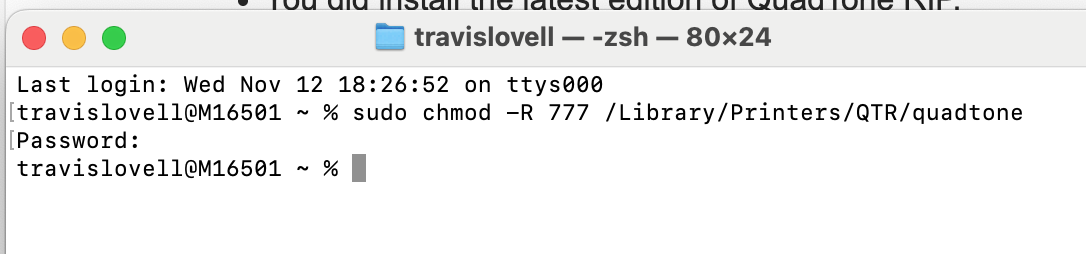
  • Before attempting to run an install.command you opened Terminal and typed
    sudo chmod -R 777 /Library/Printers/QTR/quadtone
    then waited for the password prompt
    password: and after typing your password that does not show an indication of what you are typing, the prompt you saw after pressing enter was something like this:
    travis@2024-MacBook-Pro ~ %
    Correct?
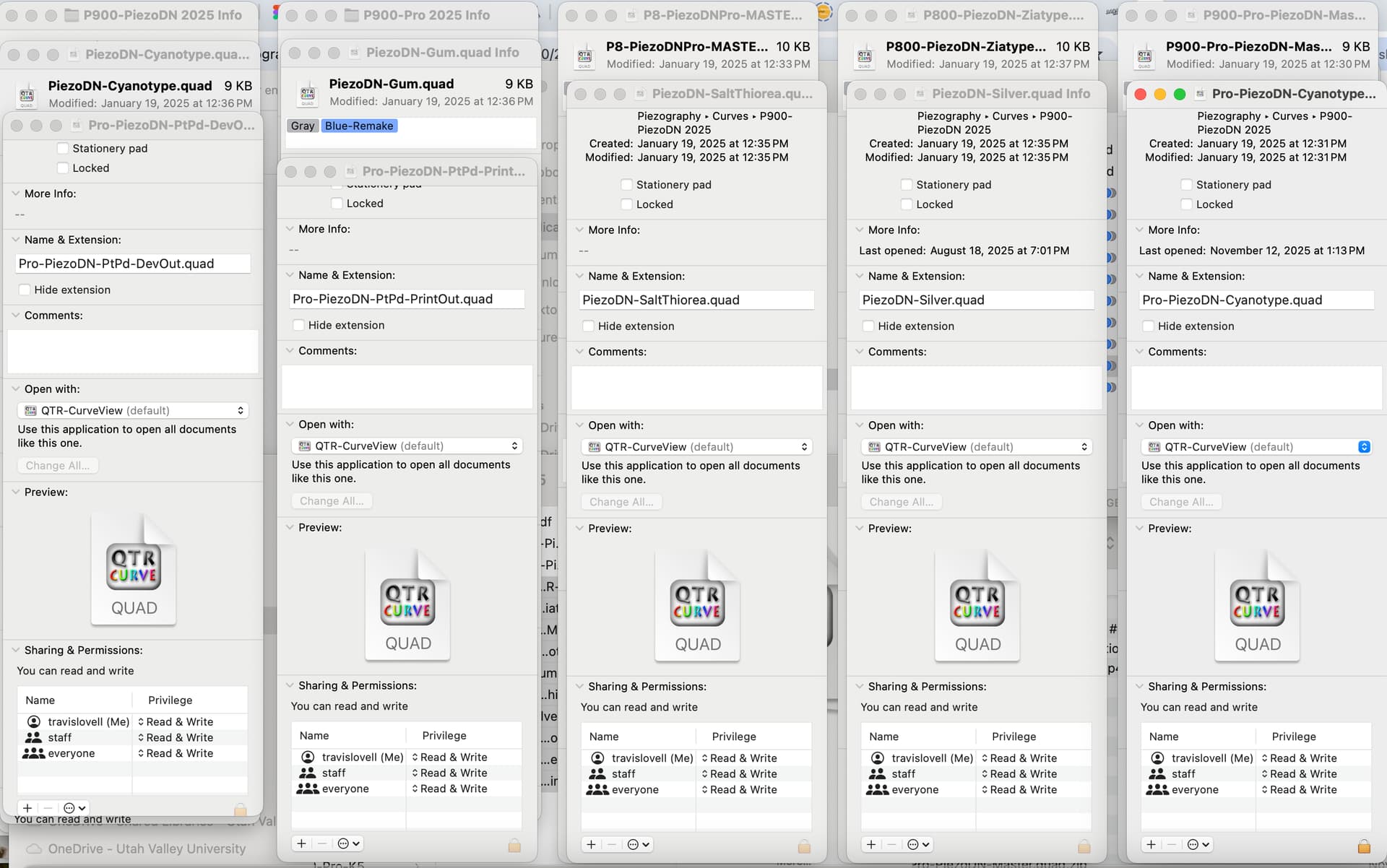
  • You checked each of the Curves in Applications/Piezography/Curves/your folder and this is where “everyone” is set to Read & Write.
    Correct?
  • You checked the permissions of Library/Printers/QTR/your folder and this is where “everyone” is set to Read & Write.
    Correct?
  • You checked the permissions of Library/Printers/QTR/quadtone and this is where “everyone” is set to Read & Write.
    Correct?
  • You checked the permissions of Library/Printers/QTR and this is where “everyone” is set to Read & Write.
    Correct?

Rachel

  • I downloaded the piezography software on my laptop in November of last year. On the school computer I downloaded it yesterday. I will try to download the software on this machine right now.

  • I am running QTR 2.8.2

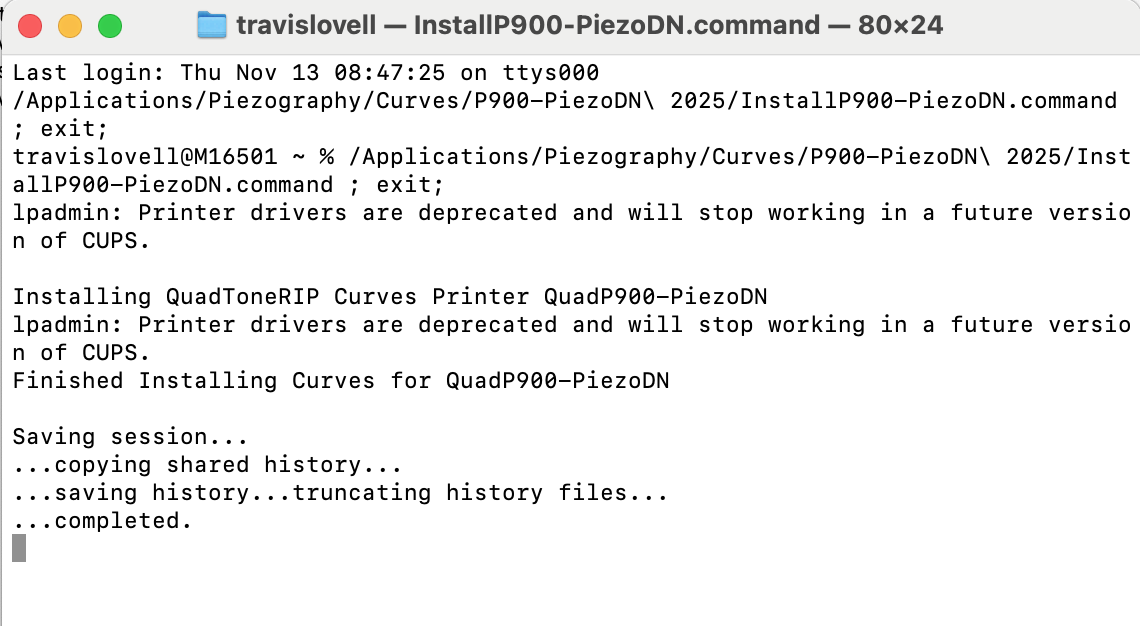
  • Just attempted again:

    Then I ran the command:

  • This is the applications curve info:

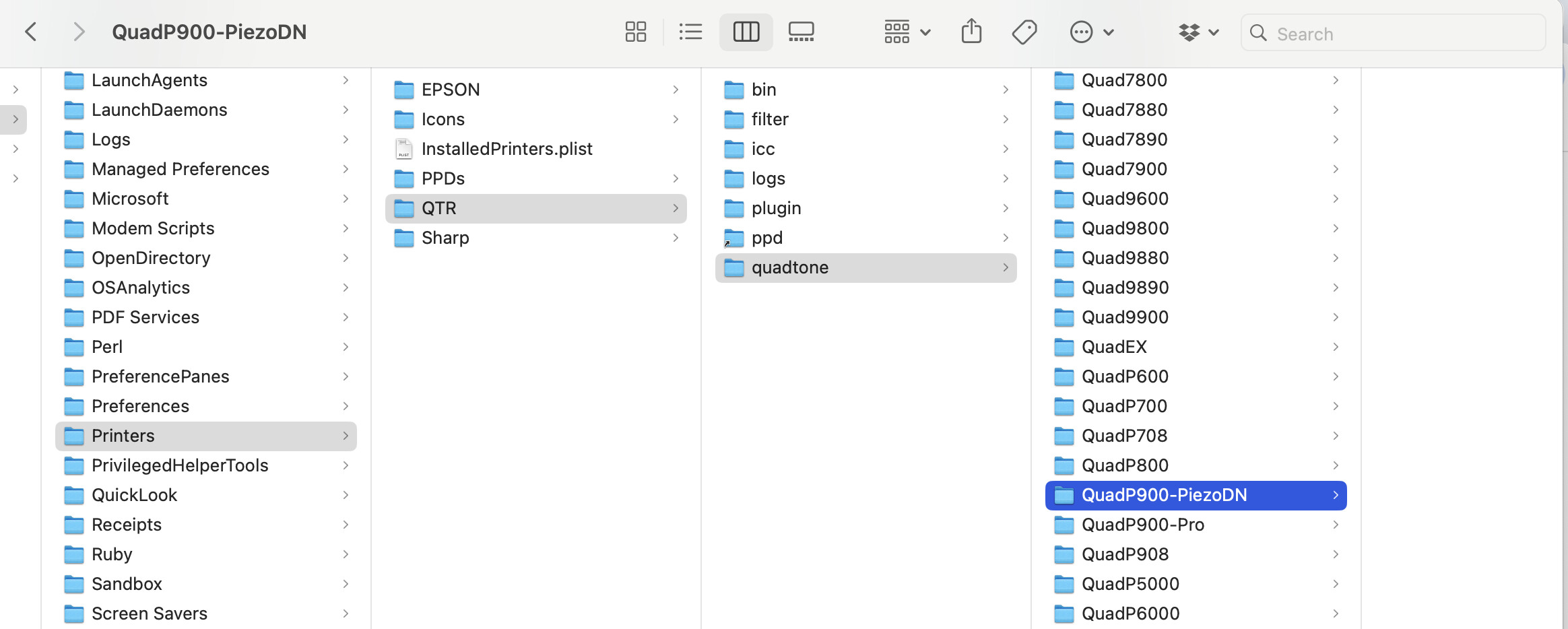
  • I am just leaving home to go to the school so everything I am showing is from my laptop and not the old computer we will be using. For some reason on my new laptop after I run the command, no quads show up in the Library folder. That folder remains blank. This does not happen on the school computer. But I won’t be able to send a screen grab of that until i get there in about an hour. But this is what I see on my laptop:

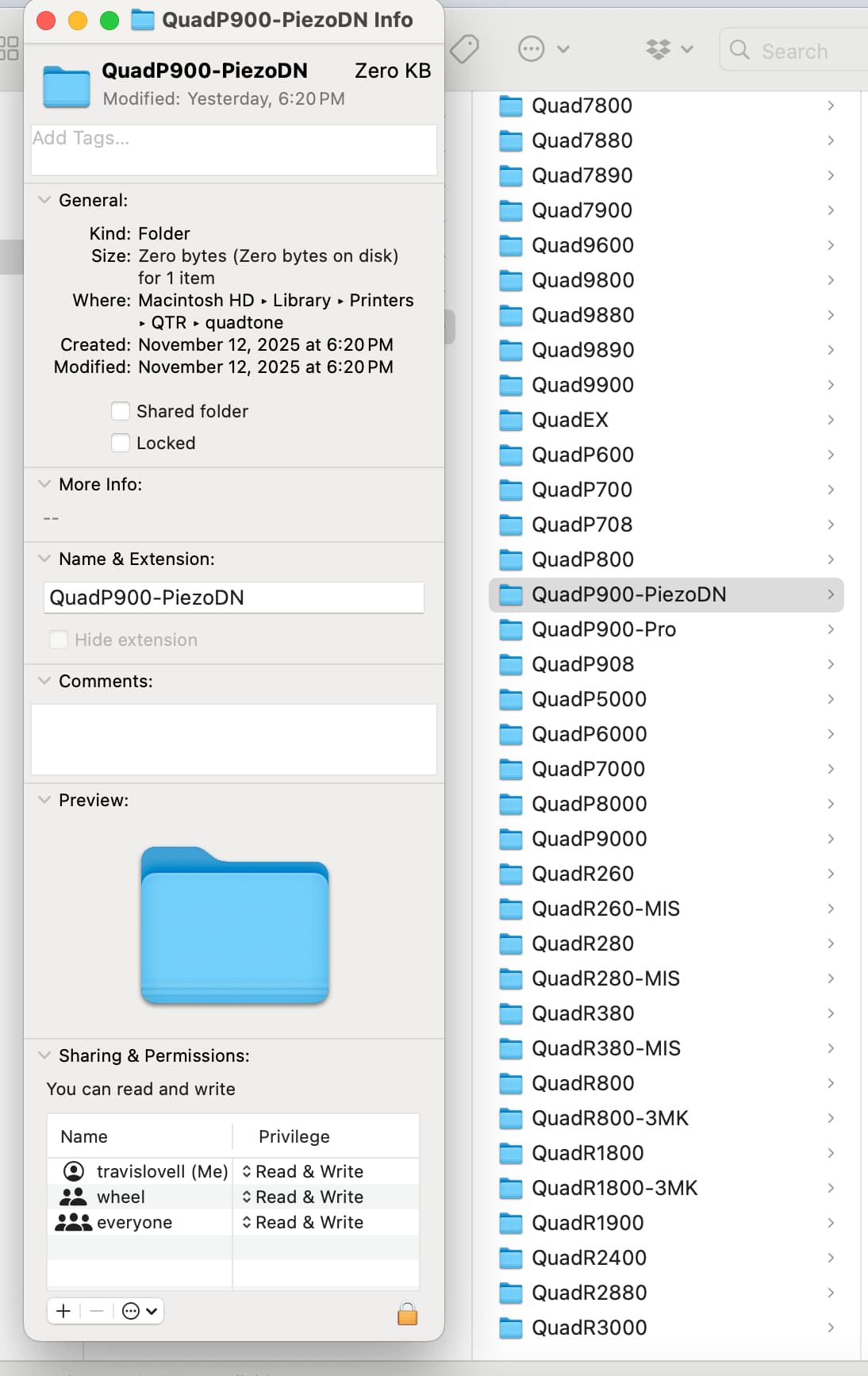
But the permissions for that folder are set correctly:

according to the above - no curves installed.

You should see the printer created. It is not.

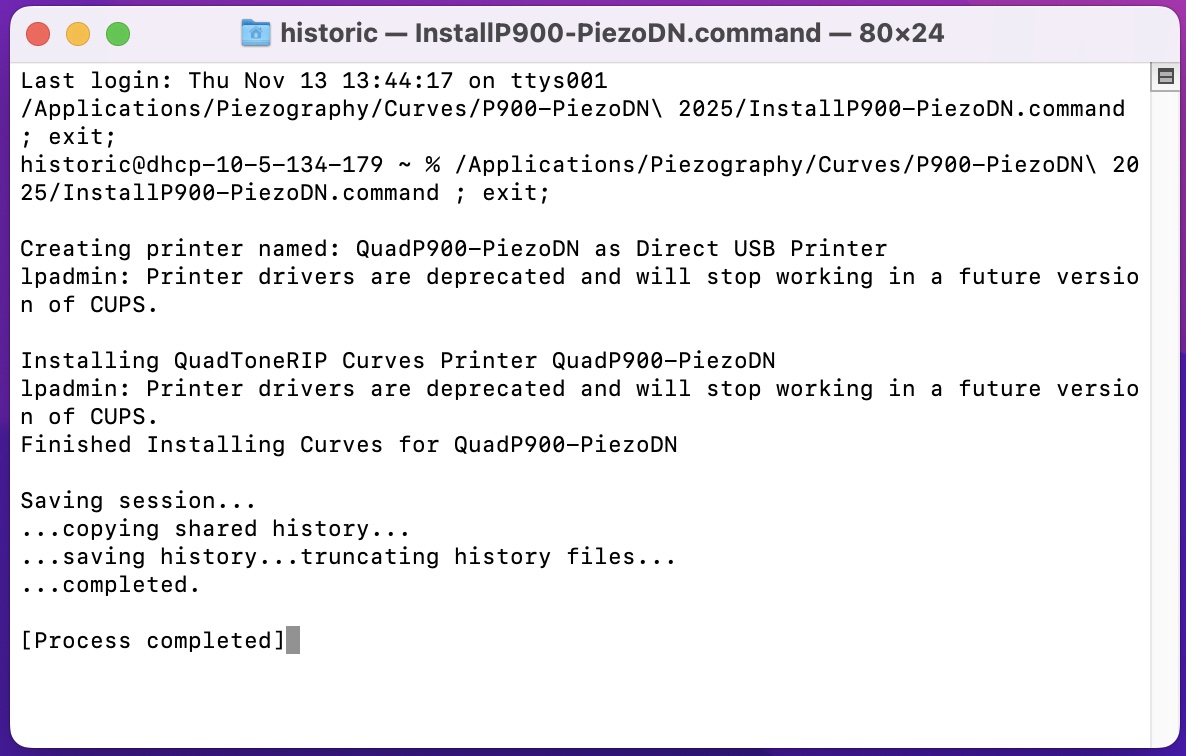
You should see a list of each of the curves installed and what curves were not installed. In this case none were attempted to be installed.

This can happen if you do not have the P900 attached to your computer by USB cable, or it is attached but not turned on, or the folder in where this install command exists has no curves or the curves are corrupted or do not have sharing and permissions correct, or you changed the structure of the Piezography Community Edition installation.

I hope it is as simple as not following the documentation and attaching your printer by USB.

If not, it seems at one time your system works and now it does not. :frowning:

As I recommended in your other Topic - you should start from scratch and reinstall QuadTone RIP and Community Edition to try and restore order in your system.

Rachel

Rachel,

Is it possible for you to send me the EU-P900 environments again? I am wondering if somehow those got corrupted.

  • I wiped my computer completely and started from scratch with the Monterey operating system.

  • I downloaded the newest version of QTR 2.8.2

  • I downloaded Print-Tool 2.3.4

  • I downloaded PiezoDN and the Community editions

  • I installed them in that order with QTR first.

  • I copied over the P900 environments you had sent me.

  • I checked the permissions on all of the quads and the folder they were located in and changed them to everyone with read/write permissions.

  • I ran the sudo command in Terminal.

  • Then I ran the InstallP900-PiezoDN.command

  • There are still no curves showing up in Library→Printers→QTR→quadtone→QuadP900-PiezoDN. The folder is empty. The folder does have the correct permissions.

  • It did create the printer as it does show up in System Preferences and is visible in Print Tool but no quads. Here is a screen grab from running the command. I am not sure what I am looking for in it to see if it ran properly.

I did something random. I copied the quads into the Library folder manually and then ran the .command file again. That somehow worked. I can now see the quads in Print-Tool.

1 Like