Printer: Epson 3880
Ink: Piezography Pro
Transparency material: Pictorico OHP Pro
OS: Windows
File: 360 PPI 16bit .tif
Printer Resolution: 2880 dpi
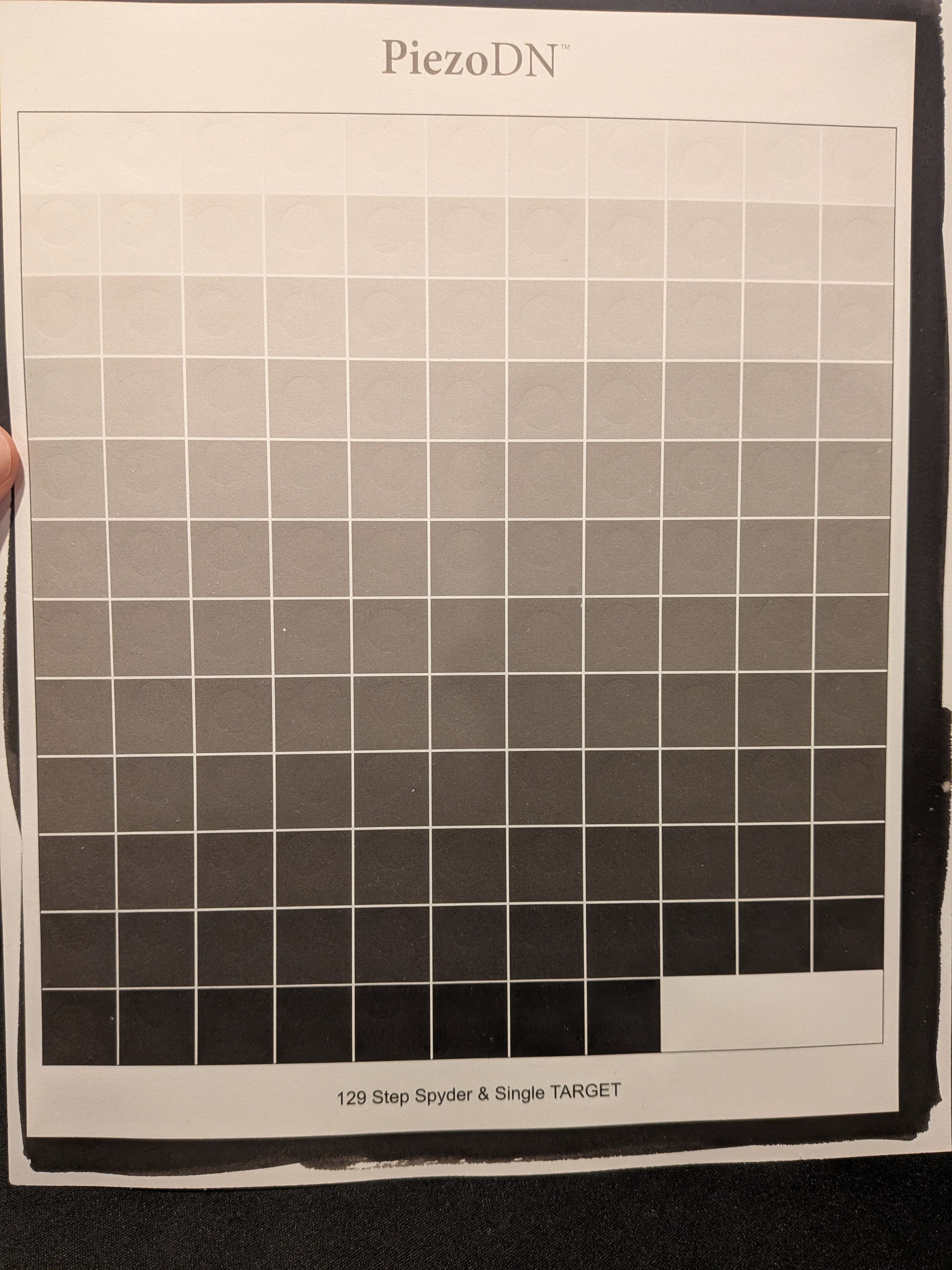
I’m using a Piezography converted Epson 3880 to print digital negatives for Platinum Toned Kallitypes. For the most part this has been successful. I created my own linearized profile for my specific process and my 129 step calibration sheets come out near perfect (see attached).
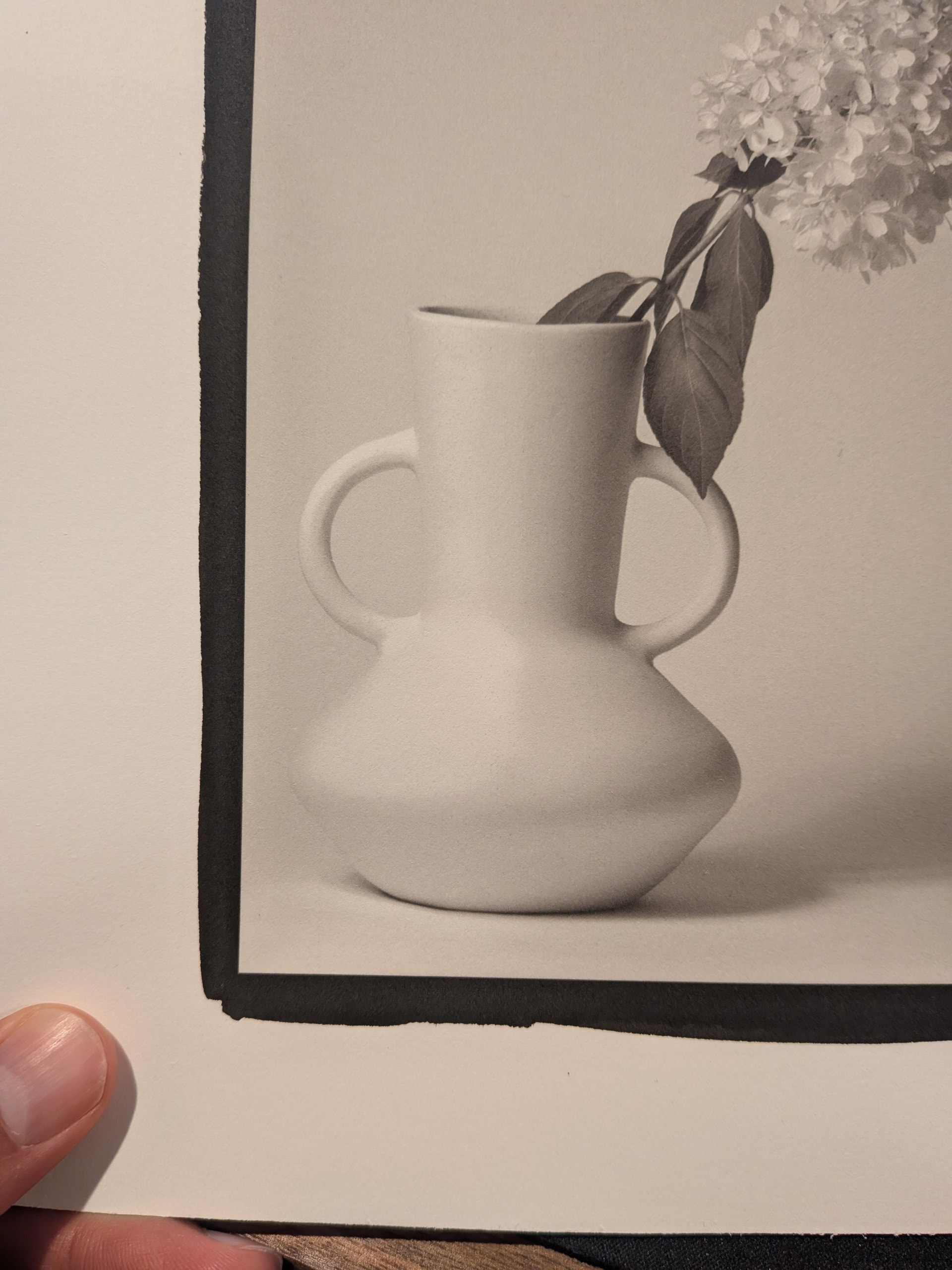
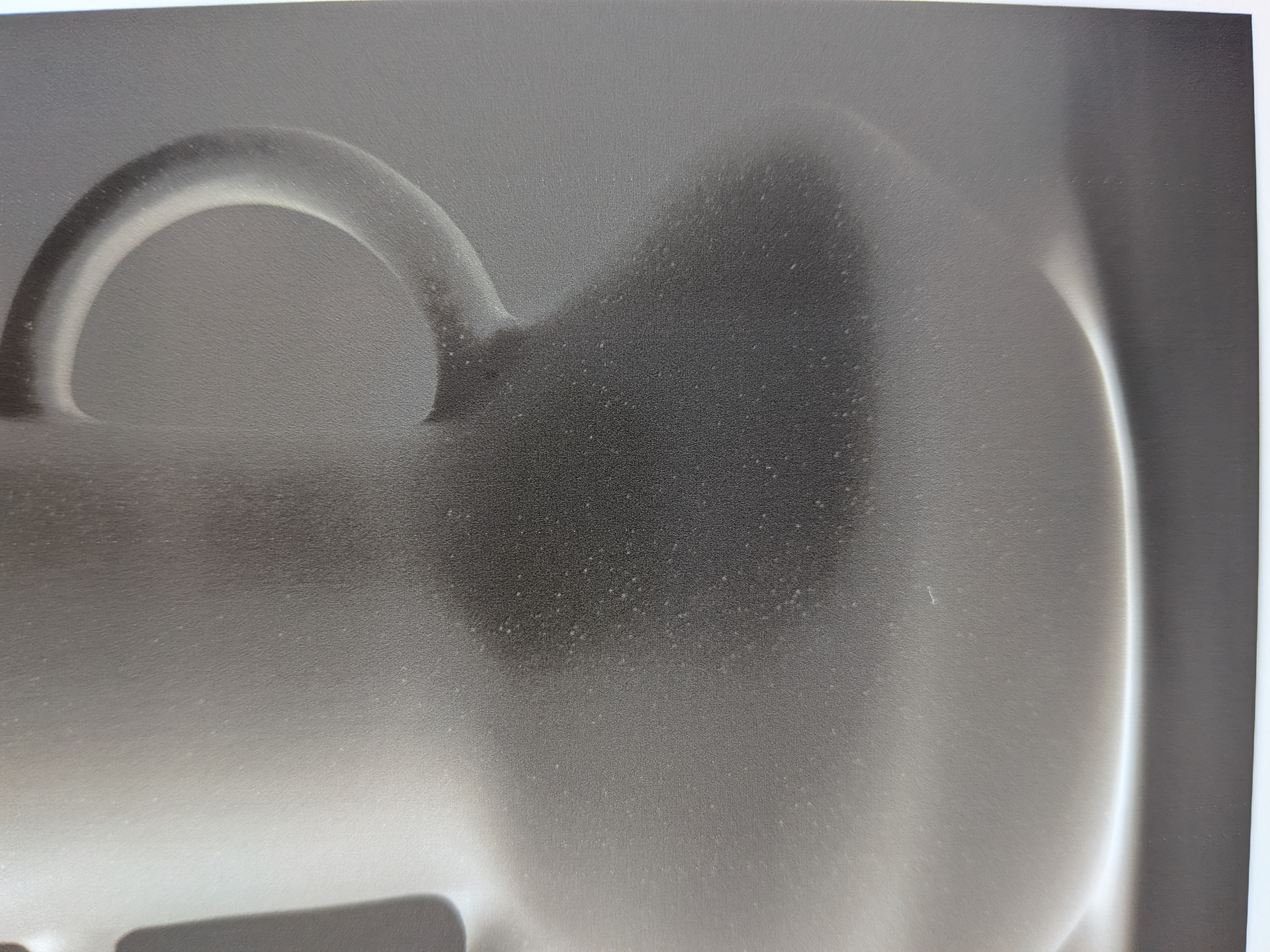
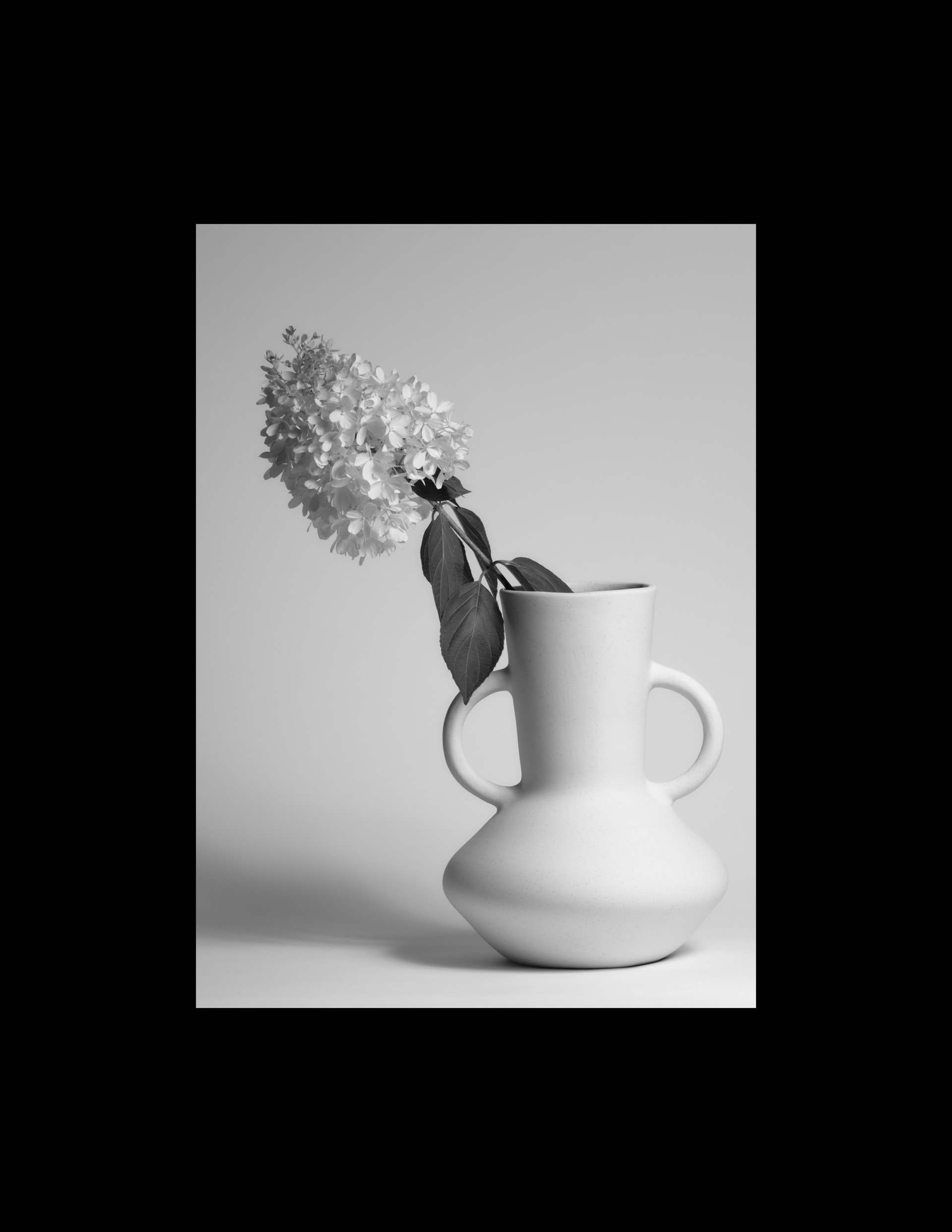
However, images that should have smooth tonal transitions will often make a sudden jump in tonal value. On the negative what should be a smooth gradient will instead appear as a dark patch. I’ve attached a variety of image of the negative, print, and original file to attempt to demonstrate this issue.
On an 8bit luminance scale (0-255), the threshold appears to be a value of about 245 on the digital file. I believe that corresponds to square 7/8 on the calibration sheet. Of course, on the digital negative this translates to a darker value. To my eye, the printer seems to switch to a darker ink and isn’t performing a smooth blend. Not sure how this is the case if my calibration negatives don’t show such behavior.
I can work around this issue by altering the digital edit, but that isn’t ideal. What is going on here? Is there not enough resolution in these smaller areas to fully dither the tones?
Is this 129 target a result of printing it with your linearized curve or is this the target you measured? If this is the measured target have you printed a confirmation 129 target with the linearized curve.quad?
Sometimes workflow affects a linear curve.quad. Are you also using a corrective ICC profile with it? What is your print process in QTRGui or in OSX PrintTool / QTR?
How does the third image above relate to either the second or fourth? Can you explain what you are seeing in these three images and whether your linearized curve.quad was used to print all three of them?
Is this happening with every image you print or with just some images? If some is it repeatable or intermittent?
This 129 step target was printed after linearization to confirm calibration.
I’m using QTRqui (the Windows tool) and I don’t believe any additional corrective profiles are being applied anywhere in the process.
The third image is a close up of the digital negative that was used to produce the print in the second image. As you can see, there is a strong tonal change where it should be a smoother gradation as present by the dark patch on the digital negative. This translates to a sudden bright patch on the printed image (second picture) instead of a smooth transition to that lighter tone.
This behavior is consistent. The printer appears to switch to a darker ink for the digital negative at about 245 luminance (8 bit value) on the original digital file. This causes issues with any print containing smooth tonal transitions that pass the 245 luminance threshold such as in clouds or light sources. That ink switch is present all the time, but in areas of texture it blends together better.
I have also experienced tone jumps in digital negatives when printing portraits. One possible factor, in my view, is that the problem can occur when there is not enough overlap between the ink curves.
PiezoDN does not offer a pre-built starting point for Platinum Toned Kalitype. You should start with the Master or perhaps PtPd and perform a limiting process using the Piezography Curve Adjustment tool. Doing so usually corrects problems in highlights by reducing the ink density to produce paper white but back off the ink amounts to allow the UV to produce smoother highlight transitions near paper white.