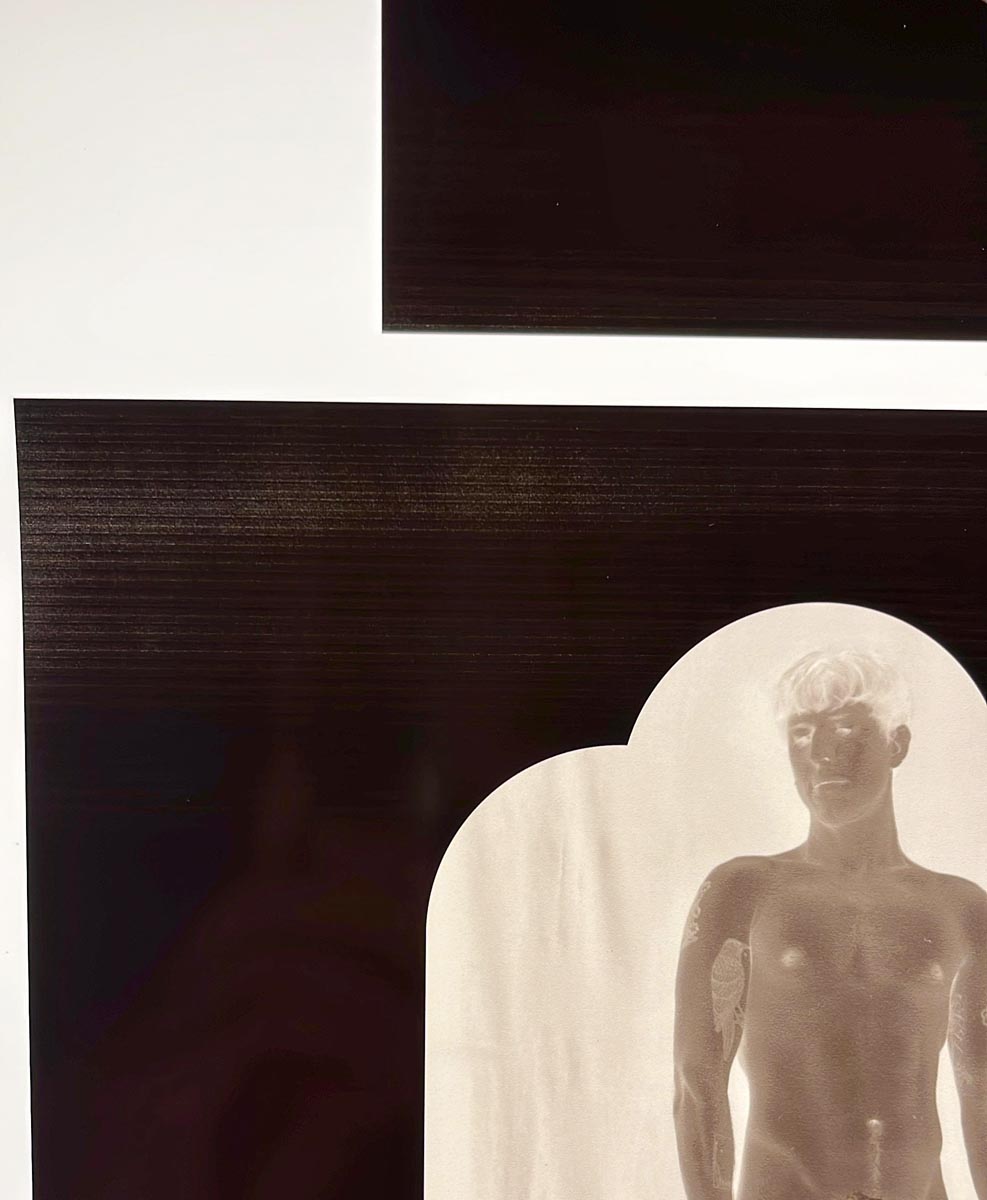
Banding/ink starvation in 100% areas

Hello!

Help please?!

I’m struggling with banding, and what I think is ink starvation, in areas of 100% ink coverage/full black when printing on Pictorico Pro using my P9000 with Piezo Pro inks

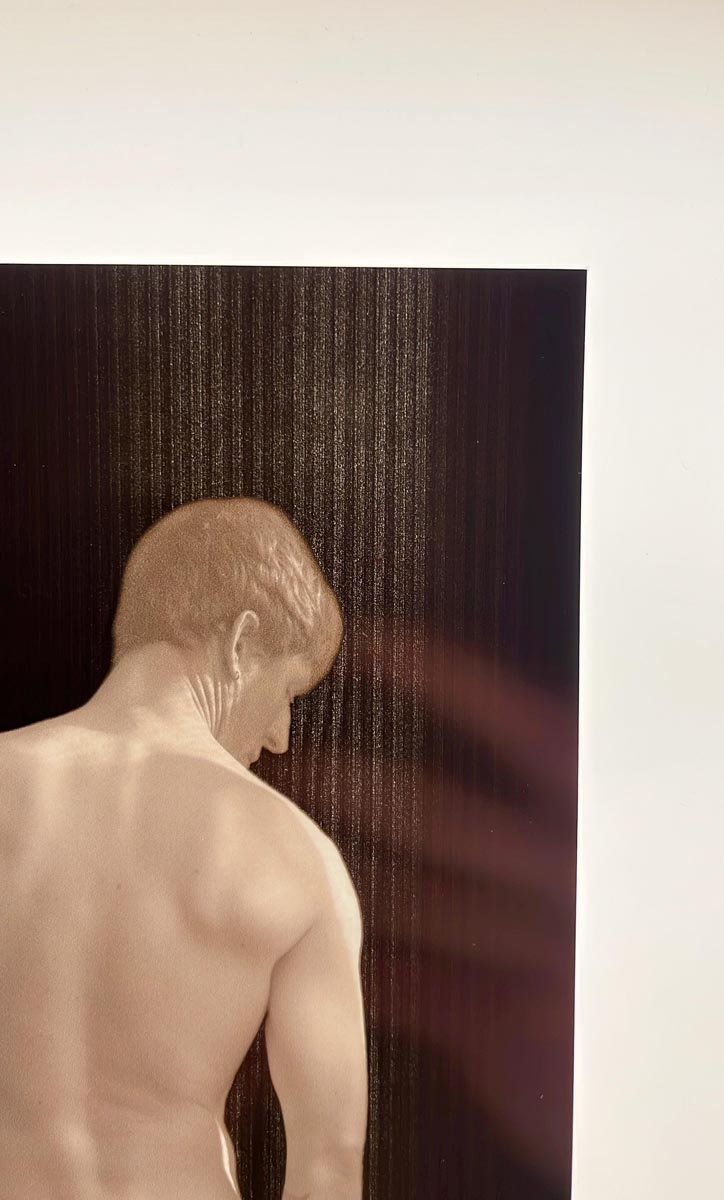
The banding is faint whiter lines, regular and parallel, about 3mm apart, horizontal (ie in the same direction of print head travel) in areas of pure black. More importantly is what appears to be ink starvation, meaning areas showing lack of ink coverage, also in parallel to head travel. Attached are pics which show the ink starvation.

Following suggestions in other posts on this forum, I have tried the following…

Created a Custom Paper setting on the printer for the Pictorico Pro.

Media : Glossy Photo Paper 170

Platen Gap: Standard

Paper Thickness: 1

Paper Feed: -25

Done a manual uni-directional head alignment

Experimented with changing the Paper Feed, from +25 to +15 to 0 to -15 to -25. Changing the Paper Feed does change the banding but nothing eliminates it. -25 is the best so far

When I set the printer up, 6 months ago, converted it to Piezo, I did the Paper Feed adjustment from the Service Menu. It was slightly off and I amended it then

Nozzle check appears to be good. Printing to other media with the PK ink, like Hahnemuehle Baryta, shows no banding

Any advice, suggestions, feedback would be gratefully received, thanks
Does this happen with other glossy papers? Have you tried to make sure that this is not specific to Pictorico Pro paper?

Heavier ink loads cause it to swell and your photograph looks very much like head strikes rather than ink starvation. The paper can not hold the ink load without swelling and lifting.

Rachel
IJM-TechSupport

Thanks Rachel

I will experiment and revert

The issue described above seems to improve dramatically if I change from roll feed to pre-cut sheet feed. Will experiment more and revert, thanks

1 Like

After much testing and experimentation, I have concluded that the problem is the curve. If I make the white areas in the file 2% instead of 0% then I it prints without a problem.

Hi Neil,

I spoke with Jon about the issue you’re having, and he thinks the problem might be with the batch of Pictorico OHP Ultra Premium film you’re using.

It sounds like the film’s coating might not be absorbing the ink as well as it should be, which could be causing it to swell. And the is not something we have noted in OHP Ultra. Jon mentioned that Cone Editions buys their materials in huge quantities to ensure consistency for years, so it’s possible your supply of this film is from a new batch in which the coating has been changed. The printer’s vacuum should normally hold the film down (another potential issue).

Our Piezography Pro curves for the darkroom are specifically designed for the Pictorico Ultra Premium OHP film because it’s the only one that can handle the large amount of ink that our process uses. Other grades of Pictorico film and films from other manufacturers simply can’t hold that much ink.

The good news is that you have a few options to fix this:

  • You can try editing your image files to reduce the overall ink output, so it doesn’t exceed the limit of your batch of Ultra Premium. This is what you are indicating you have done by cutting down your highlights.

  • You can also go into the Advanced Settings in PPETv2 and try limiting the ink output there. After you do that, you’ll want to re-linearize the curve for your specific darkroom process you are using the film for. Normally ink limiting is not needed with darkroom film - but in your case you might try changing Highlight Start Point from 255 to 249 which is equivalent to a 2% change in highlights. This will lower all of the inks in the darkest part of the negative. And if this is happening now when it didn’t on previous batches of the film you should re-linearize in the case it is affecting more than just ink load.

Rachel
IJM-TechSupport

Hi Rachel,

Thanks for your detailed and helpful feedback, much appreciated. I suspect the problems I am having are largely due to operator error and also working against deadlines. I am printing these for a client who only comes into town sporadically ands process is carbon transfer and we didn’t actually do a linearisation for his process. So I have just been using the supplied “Pro-PiezoDN-PtPd-PrintOut” curve on my P9000 fitted with Pro inks, using Pictorico Ultra Premium OHP. As mentioned above, changing the pure white highlight values in the file to about 2% seems to have solved the problem. The long term solution is to properly linearise and ‘ink limit’ the curve, this I will do going forward,

Thanks again for the feedback

Neil

Hi Neil,

Yes, that would explain it as Pro-PiezoDN-PtPd-PrintOut.quad is not actually a digital negative curve. It is a starting curve designed to be “too much” nearly everywhere so that the linearization process can bring it down to the required amounts and tonal response for the medium being calibrated. Linearization would have solved it and also produced a more useable negative.

If there is time in the future have them stabilize their darkroom so that any negative produces the same results on any given day.

  1. Start them by sending a piece of unprinted OHP Ultra to use in a step exposure test for them to determine first useable dMax exposure. The OHP absorbs UV and that needs to be part of the exposure test. The first useable dMax exposure time (or units) will be their standard exposure time.
  2. Then print out the 16x21 target and have them return a carbon print to you for measurement.
  3. Use that resulting curve to reprint the 16x21 target and send them that for the 2nd iteration.
  4. When you measure that it usually produces the final curve which will then produce calibrated negatives to their carbon process.
  5. If you notice anomalies at that point it is usually due to darkroom process being unstable. You cannot over-emphasize that they must be able to get the same results on any given day from the same negative if they intend to calibrate the process (goes for the film and darkroom - but darkroom first!)

Rachel
IJM-TechSupport